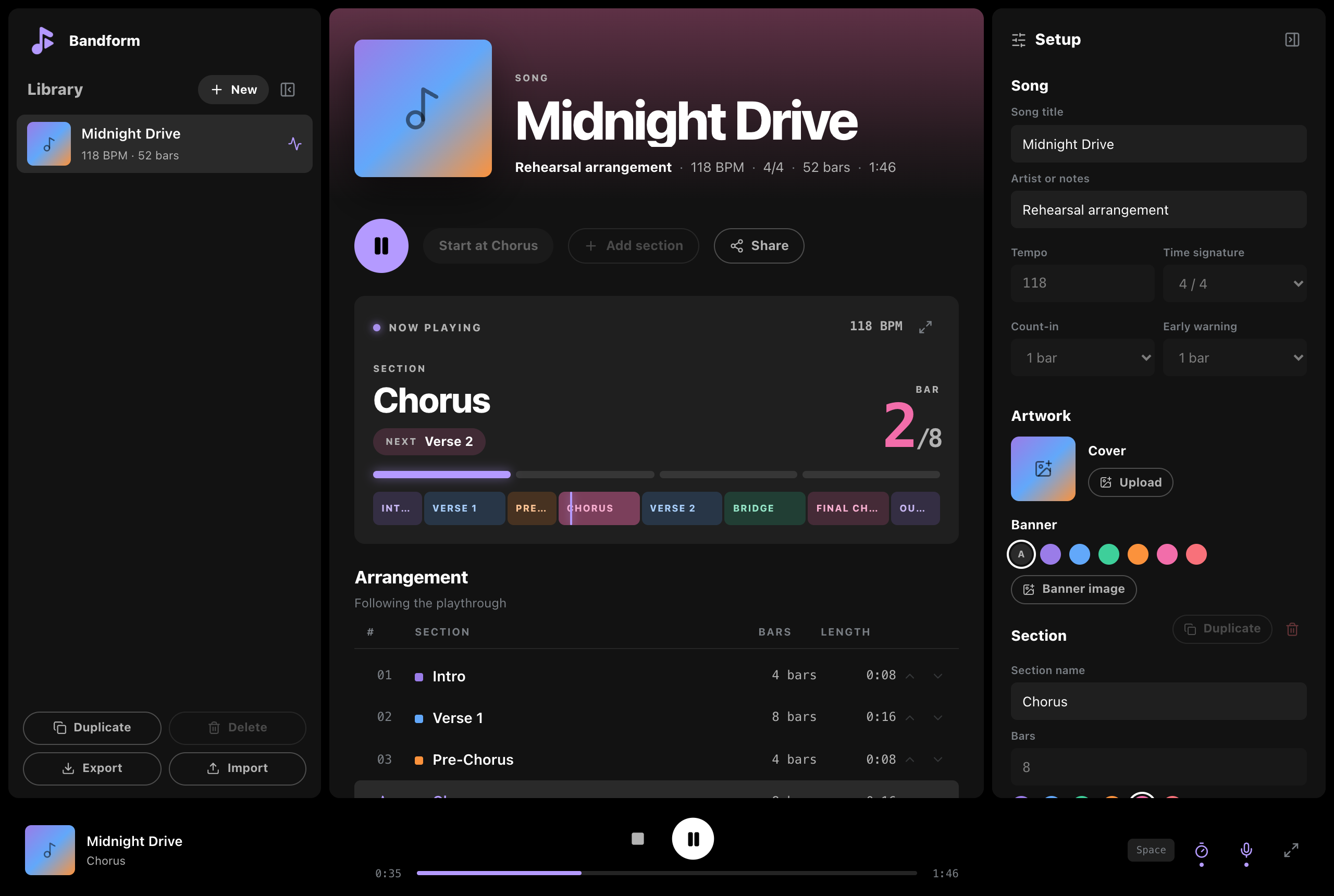
Add your song’s sections and how many bars each one has. Bandform plays a click, counts the bars out loud, and says the name of the next section before it starts. Free, in your browser.
A free online metronome with a bar counter and spoken section cues. Rehearse your song’s arrangement to a click track, then share it with the rest of the band as a link.
It says the next section out loud
Set up the sections and their bar counts. While it plays, Bandform counts the bars, announces the next section a bar early, and counts you into it.
Says the next section’s name, like “Chorus next”, as early as you want
Counts bar numbers so you always know where you are
Counts you in on the last bar: one, two, three, four
Any section name works. Try renaming one in the demo.
DemoMidnight Drive at 118 BPM
Section
Intro
Next Verse 1
Bar1/4
Intro
Verse 1
Pre-Chorus
Chorus
Verse 2
Bridge
Final Chorus
Outro
Press play and turn your sound on.
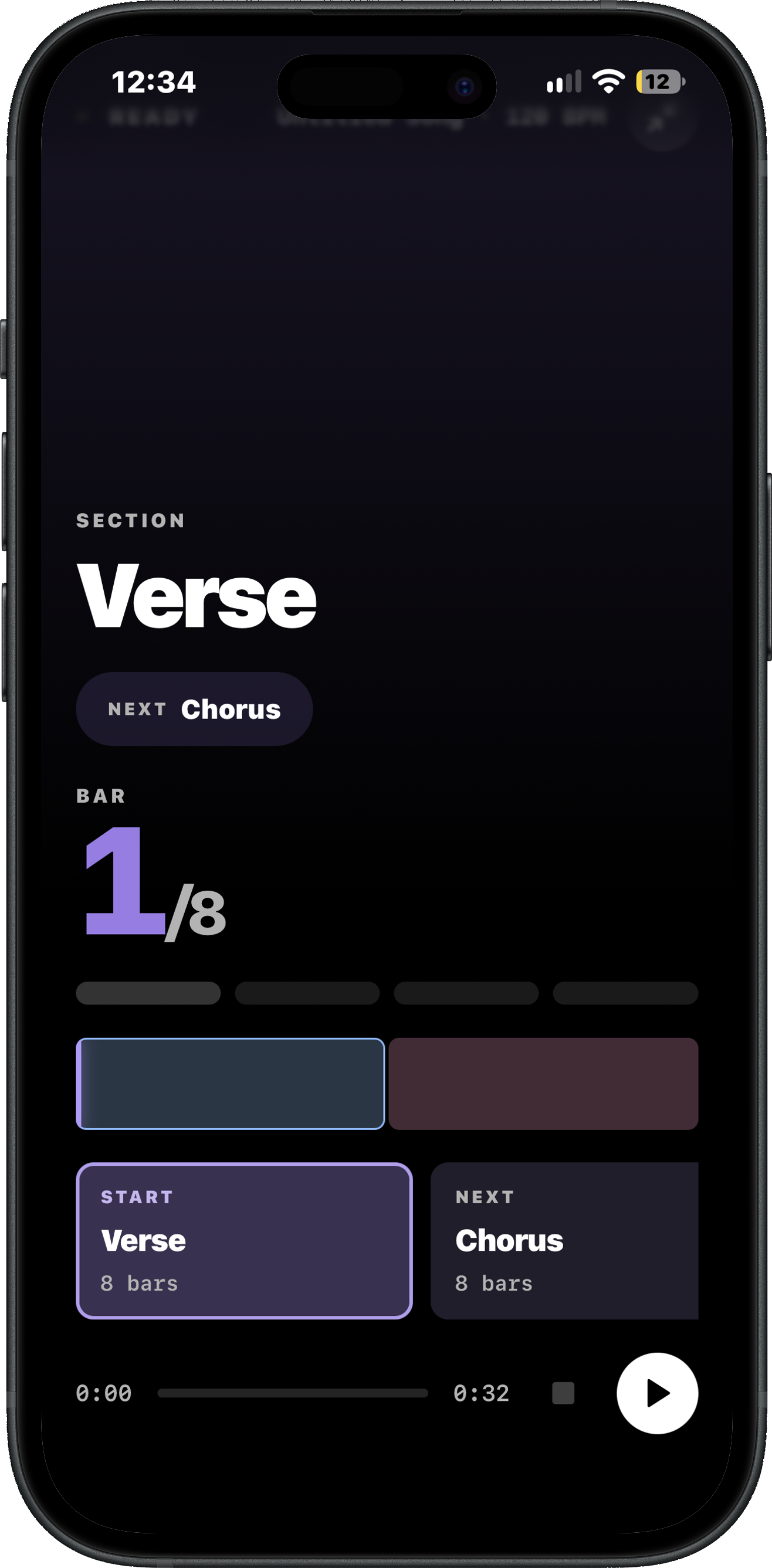
Works on a phone at rehearsal
Stage view shows the current section, the next one, and the bar count in text big enough to read from across the room.
The screen stays on while it plays
Still plays with the iPhone on silent
If a call comes in, tap once to pick up where you left off
Add it to your home screen to open it like an app
Share a song with one link
Send the link and your bandmates get the sections, tempo, and cues. The song is stored in the link itself.
No account needed to open it
Opens in any browser on any phone
Sharing again updates the song instead of adding a copy
Shared song
Midnight Drive
Rehearsal arrangement
118 BPM4/452 bars1:46
The whole arrangement lives inside the link.
Your songs are stored on your device
Nothing is uploaded unless you sign in. An account keeps a copy in the cloud and syncs your songs across your devices.
Free to use
Open the site, add a song, press play. Sign in only if you want your songs on more than one device.
Questions bands ask
What does Bandform do?
You type in the sections of a song and how many bars each one has. Bandform plays a click at your tempo, counts the bars out loud, and says the name of the next section one bar before it starts, so the whole band changes together.
Is Bandform free?
Yes. The app is free in your browser and needs no account. An account is optional and only keeps your library the same on every device you use.
Does it work on a phone at rehearsal?
Yes. Open bandform.app on any phone. Stage view keeps the screen on with the section name and bar count readable from across the room, and it still plays with an iPhone on silent.
Do my bandmates need to install anything?
No. Share a song as a link. Anyone who opens it gets the whole arrangement in their browser, and opening a newer link updates their copy.
Is Bandform a metronome with a bar counter?
Yes. Bandform plays a metronome click and counts bars (measures) out loud within each song section. Enter the number of bars in your intro, verse, chorus, and other sections, and it follows that arrangement while you play. It also announces the next section before the change.
Can I change tempo or time signature within a song?
Yes. Set a tempo and time signature for the whole song, then give individual sections their own settings where needed. Bandform follows those changes during playback, so you can rehearse a song with tempo or meter changes.
How do I make a click track with spoken section cues?
Open the app, name your song sections, enter their bar counts, and set the tempo. Choose a count-in and how many bars ahead to announce the next section, then press play. The click track plays in your browser; Bandform does not currently export MP3 or WAV audio.
Can it say custom section names?
Yes. Any name you type is spoken, so Breakdown, Solo, Big ending, or anything your band calls a part all work.
 Bandform